The Sunday Reset Checklist: Set Up Your Week in About an Hour
A weekly reset checklist for Sunday: the home tasks and week-ahead planning worth doing every week, in an order that fits into about an hour.
By Next App Factory · · 6 min read
The idea behind a Sunday reset is simple: Monday goes better when you do not start it with a full sink, an empty fridge and no idea what the week holds. Instead of a vague plan to “get organised this weekend”, you run the same short checklist once a week and stop when it is done.
It does not have to be Sunday. Shift workers, students and parents often do better on another day. What matters is that it happens once a week, on a fixed day, from a fixed list.
Part 1: Reset the home (about 30 minutes)
This is not a deep clean. The goal is to undo the week’s small mess so that the house is not working against you on Monday morning.
- Tidy every room for 10 minutes. Put a timer on and return things to where they live. Stop when it rings.
- Run and empty the dishwasher so the week starts with an empty sink.
- Fold and put away laundry. Clean laundry left in a basket is the most common weekend leftover.
- Wipe down the bathroom: sink, mirror, toilet. Five minutes is enough for a weekly pass.
- Take out the trash and recycling before collection day.
If you want a bigger cleaning list, keep it separate. Tickloop has House Cleaning and Weekly Chores templates that start fresh on Saturdays, and a Deep Clean list you start fresh only when you need it.
Part 2: Set up the week ahead (about 30 minutes)
- Review the calendar. Look at every day of the coming week: appointments, deadlines, birthdays, late nights.
- Plan meals for the week. Even three planned dinners take most of the “what’s for dinner” stress away.
- Write the grocery list straight from the meal plan, so you only buy what you need.
- Prep lunches or at least the parts that keep, such as washed vegetables or a batch of grains.
- Pick outfits for Monday, including anything that needs ironing or charging.
- Check bills due this week so nothing catches you out.
- Set three priorities. Not a full to-do list: the three things that would make this week a good one.
Do it in the same order every week
Home first, then planning, works well for most people: the physical tasks wake you up, and you plan the week from a calm, tidy space. Whatever order you choose, keep it. Following the same sequence every week is what turns a reset into a routine you do not have to think about.
| When | What | Time |
|---|---|---|
| Afternoon | Home reset | About 30 minutes |
| Early evening | Week ahead | About 30 minutes |
| After dinner | Nothing. You are done. | — |
Keep it as one list that resets every week
The value of a Sunday reset comes from repetition, so the checklist itself should repeat. In Tickloop, set the list to start fresh weekly on Sunday (or whichever day you choose). On reset day every item is unticked again, and last week’s run is saved in Activity, so you can see which weeks you kept up with it.
If you miss a week, nothing piles up: the list starts fresh at the next reset and you simply begin again. The list is also easy to tune. If you never prep lunches, delete it. If Monday mornings still go wrong, add the step that would have helped.
Variations that work
- Weekend reset: do the home tasks on Saturday (sheets, laundry, fridge, restocking) and keep Sunday for planning. Tickloop’s Weekend Reset template is set up this way.
- Work-week planning: move the planning half to Monday morning. The Weekly Planning template starts fresh on Mondays.
- Family reset: share the list as text and split the home tasks between everyone in the house.
A weekly reset pairs well with a daily one. See how to build a morning routine checklist for the everyday version.
The Sunday reset checklist
- Tidy every room for 10 minutes
- Run and empty the dishwasher
- Fold and put away laundry
- Wipe down the bathroom
- Take out the trash
- Review the calendar
- Plan meals for the week
- Write the grocery list
- Prep lunches
- Pick outfits for Monday
- Check bills due this week
- Set three priorities
Make it a list that starts fresh
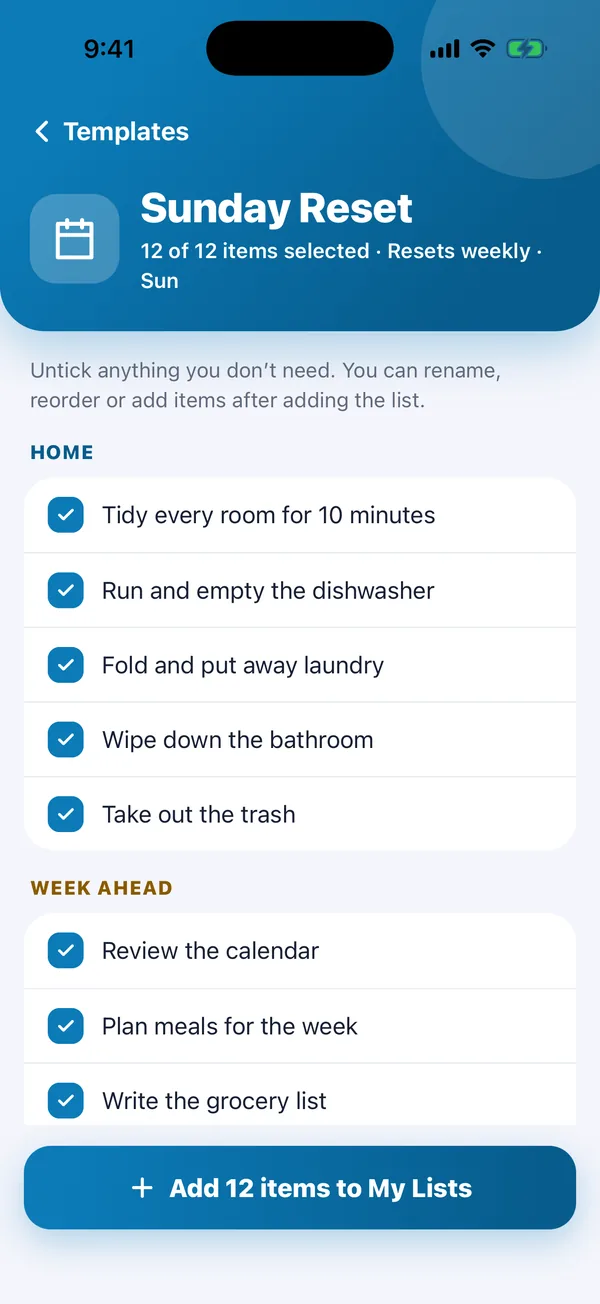
This checklist is Tickloop’s built-in Sunday Reset template, split into Home and Week ahead sections. It starts fresh every Sunday, so next week it is waiting for you un-ticked, and each finished Sunday is saved in Activity.
Tickloop is free on iPhone and Android, with no account. See how it works.